 Print Page Icon SharePoint 2010 OnlyPrint Page Icon SharePoint 2010 Only
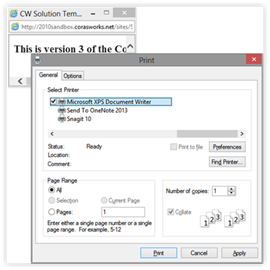
Click on the Print Page icon in order to send the contents of the web page to the printer. The elements outside of the web part zones (navigation, title, etc.) will not be printed.
When the icon is clicked, a small web browser window is opened and the print window is opened. Choose the printer that is the destination for the output, then click on the Print button. The print window and browser window will close, returning the user to their regular browser page.